
Softonic review

Photor: Add Creativity to Your Screenshots

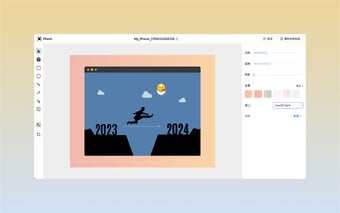
Photor is a simple yet powerful browser screenshot plugin that enhances the traditional screenshot experience. With Photor, you can capture the entire visible area of a webpage or select a specific region to capture. After taking a screenshot, you have access to numerous annotation tools, shadows, backgrounds, and more to decorate your screenshots and make them more visually appealing and creative. Photor brings a fresh and exciting approach to screenshotting, making it a fun and engaging activity.

Photor offers a user-friendly interface, making it easy for anyone to use, regardless of their technical expertise. Its powerful features allow you to customize your screenshots with annotations, highlights, and other visual elements, adding a professional touch to your work. Whether you're a designer, developer, or simply someone who wants to add a personal touch to their screenshots, Photor provides the tools you need to create stunning and creative screenshots.

With Photor, the process of capturing and sharing screenshots becomes more enjoyable and dynamic. Say goodbye to boring and monotonous screenshots and start using Photor to unleash your creativity.

 0/1

App specs

  • License

    Free

  • Version

    1.0.0

  • Latest update

  • Platform

    chrome

  • Developer

Program available in other languages


User reviews about Photor: 让你的截图不再单调

Have you tried Photor: 让你的截图不再单调? Be the first to leave your opinion!

Top extensions for Google Chrome

Top downloads Add-ons & Tools for Chrome

Top downloads Add-ons & Tools for Chrome

Top downloads Add-ons & Tools for Chrome

You may also like

Explore Apps

Latest articles

Laws concerning the use of this software vary from country to country. We do not encourage or condone the use of this program if it is in violation of these laws.
Softonic
Your review for Photor: 让你的截图不再单调
Softonic

In Softonic we scan all the files hosted on our platform to assess and avoid any potential harm for your device. Our team performs checks each time a new file is uploaded and periodically reviews files to confirm or update their status. This comprehensive process allows us to set a status for any downloadable file as follows:

Clean

It’s extremely likely that this software program is clean.

What does this mean?

We have scanned the file and URLs associated with this software program in more than 50 of the world's leading antivirus services; no possible threat has been detected.

Warning

This software program is potentially malicious or may contain unwanted bundled software.

Why is the software program still available?

Based on our scan system, we have determined that these flags are possibly false positives.

What is a false positive?

It means a benign program is wrongfully flagged as malicious due to an overly broad detection signature or algorithm used in an antivirus program.

We’d like to highlight that from time to time, we may miss a potentially malicious software program. To continue promising you a malware-free catalog of programs and apps, our team has integrated a Report Software feature in every catalog page that loops your feedback back to us.

Flag any particular issues you may encounter and Softonic will address those concerns as soon as possible.